Search Engine Optimization, or SEO, has been over discussed and is still poorly understood. In this article I’m going to share my personal experience with SEO. I have had both successes and failures. Unlike many, I can prove what I’m saying.
Many WordPress users think that installing an SEO plugin is enough to rank well in Google. It took us years of trial and error to create a comprehensive approach to WordPress SEO.
Over the past decade, we’ve helped countless website owners improve their search rankings. During this time, we’ve identified the exact steps that make the biggest impact on SEO success – without getting lost in technical complexities.
We’ve distilled all this knowledge into a simple WordPress SEO checklist that anyone can follow, regardless of their technical expertise.
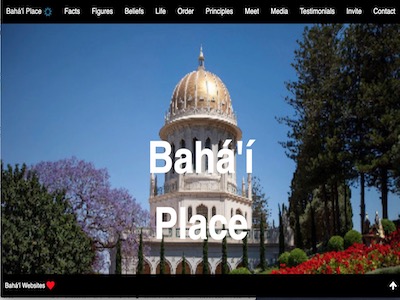
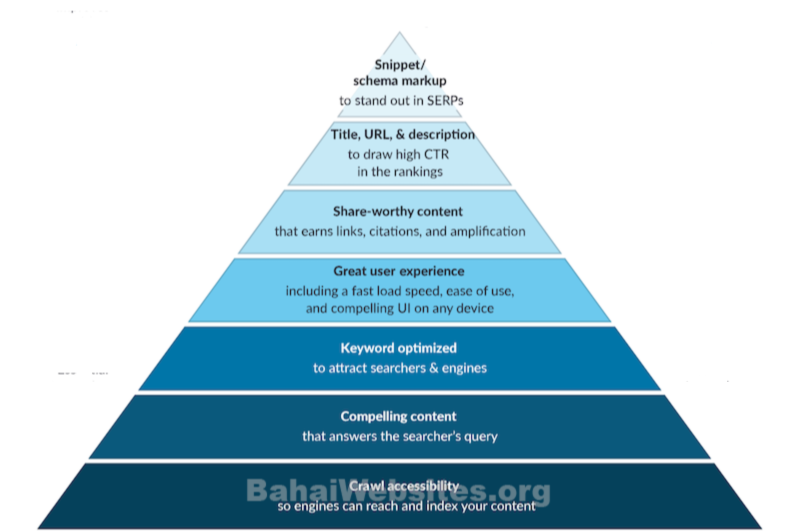
Let’s use this graphic as an example. We are going to work our way to the top – literally and figuratively. This article will have seven steps to understanding Practical SEO for Bahá’í Communities – without plugins, without advertising, without commissions. Let’s go.
Crawl accessibility (so engines can reach and index your content). It should go without saying, this is essential. First, go check your WordPress Dashboard. When WordPress was installed, there is a checkbox to block the search engines.
Settings > Reading
I once saved a client $30,000 USD. He had been using his new website for several months but it wasn’t showing up in his Google searches.
I offered to take a look at it for him. The developers had checked this box during the build and had not unchecked it when they delivered the website. I checked his website and unchecked this checkbox in his Settings page. I saved him $30,000; I could have charged him more than I did.

There is another way that your website can be blocked.
In this example, have the correct website, and we can see that the Cambodia community has a beautiful new website. It’s quite an improvement over the last one.
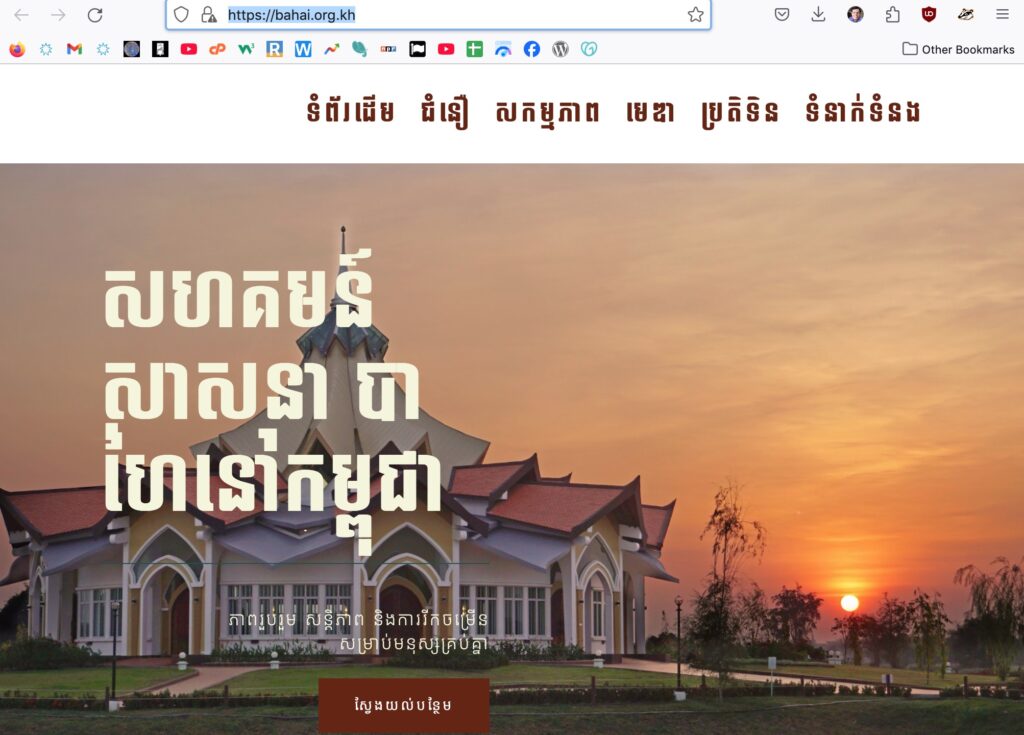
But when we search for “bahai temple cambodia” the first item in the Search Results Page is TripAdvisor.

This means something is wrong. For humans, this usually isn’t a big problem. The correct website is directly below TripAdvisor, and we can just click on that link.
This illustrates the problem. Machines – even AI – can’t think. we must do it for them. It is the human’s job to make sure the machine does what we want.
To www or not to www
In the early days of the internet, every website was written as http://www.example.com. Later, http became https to force the security and reduce spamming and scamming. Along the way developers began dropping the “www” also.
Partly this is because extra letter takes longer, and also longer names means a bigger change for errors and typos.
There is a difference between “www.example.org” and “example.org.” These can be two different websites. In the modern world, most developers choose redirect these to the same website.
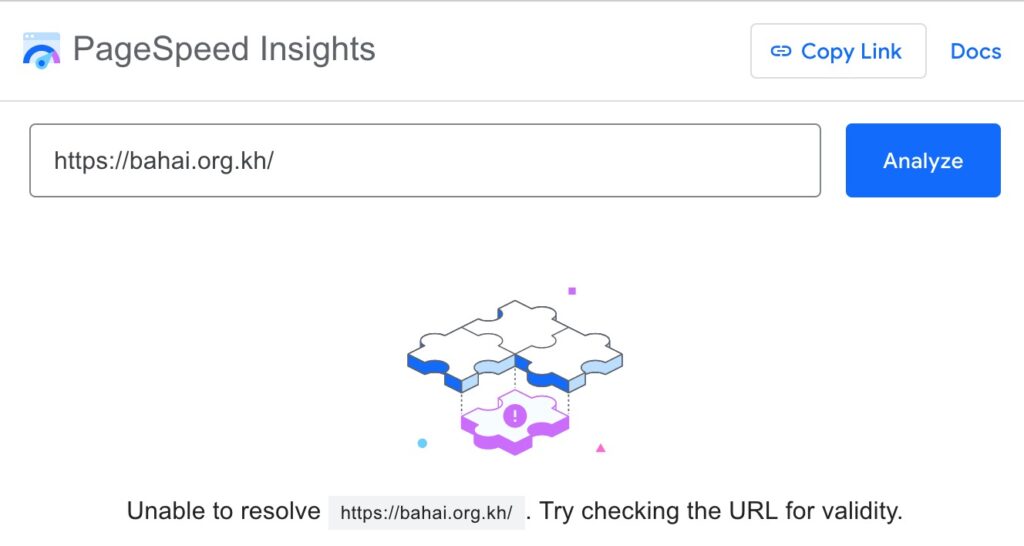
However, if Google can’t find your website, something should be done.
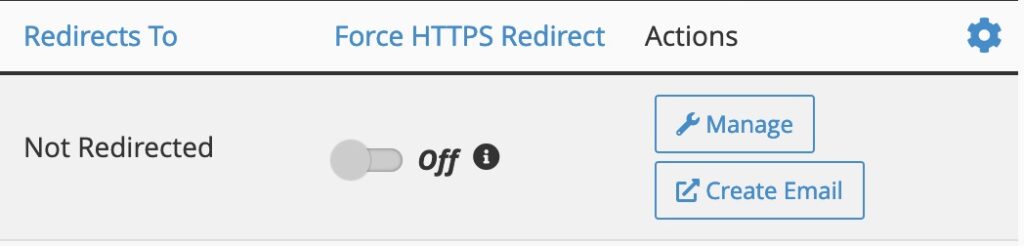
There are a couple ways to do this. The old fashioned method is by uploading a file called “htaccess” it’s very effective, and very powerful when misused. An easier method is with cPanel. For BahaiWebsites, you would go here and flip the switch:
Log in > My Products > Web Hosting > Manage > cPanel > Domains
Compelling Content (that answers the searcher’s query). This isn’t as simple as unchecking a checkbox, but there are some very simple things you can do.
It is essential that your content is easy to read. It plays a massive role in getting higher rankings because blogs that are easier to read often rank higher than those that are hard to read.
Visitors scan through your content, and you have a very short time to convince them to stay on your website. Studies show that people spend less than a second deciding whether to exit or stay on the page.
A simple way for beginners is to first make an outline, grouping sections of your content under headings (h2, h3, h4, etc). This is basic to any article but many sidestep this. In HTML, this is important.
The title of your article is the “h1” tag. There should be only one. Tags with h2 are second, and h3 are third, and h4 are next. Your article should include at least three h2 tags and three or more h3 tags, with paragraphs for each heading. Writing is much easier with an outline.
Write short sentences, use bulleted lists, break long chunks of paragraphs into smaller paragraphs, and consider adding a table of contents.
Adding images, videos, and other multimedia can also enhance readability and make your content more engaging. Be sure to describe your photos in the “alt” tag.
Keyword Optimized (to attract searchers and engines). Use the words that people are using when they search on Google. There are many tools to improve readability, but one writer’s trick helps many people: write for one person. Another thing you can try is to speak it into your phone.
Most of your visitors don’t always read the entire article. They scan the information to find interesting bits.
People are lazy, so keep your sentences short and your paragraphs short, as well. Keeping your sentences short and using fewer sentences per paragraph makes your content easy to scan.
You should also consider replacing difficult words with words that are more common and easy to understand. Difficult vocabulary makes it harder to scan your pages.
Great user experience (including a fast load speed, ease of use, and compelling UI on any device). Google’s Pagespeed Insights covers each of these well. Over 200 audits are separated into four categories: Performance, Accessibility, Best Practices, and (technical) SEO.
Red, Yellow, Green
Each of these categories is scored on a percentage basis, and colored like stoplights: red, yellow, and green. Scores 90% and above are acceptable colored green, below that are areas that need work and are colored yellow, and below 50% are fails and colored red.

This tester, includes specific items that need work, and offers suggestions on how to fix the errors. A perfect 400 score is nearly impossible for modern websites. But all green scores is desirable and possible.
Share-worth content (that earns links, mentions, and shares). Honestly, have you come across something really useful, and linked to it or share it? Create something like that.
Every link that goes to a website, improves it’s rank in search engines, and those pages – and other pages in that website – rank higher in search results.
This can mean gathering data from the real world and putting it online, or gathering data that’s online in different places into one source. This is work, but valuable and can be rewarding.
Buttons should big enough for thumbs, easy to see and read. If you want visitors to call you, have your phone number clearly visible.
Title, URL, and Description (to draw high CTR in the rankings). The title is most important. It should match either the question or the answer of your article. The URL is the web page title. Description should be summarized in the second paragraph.
Snippet or schema markup (to stand out in SERPs). A snippet is a quote or an excerpt or phrase. Schema is labeling your information.
Humans can tell a phone number from an address (both being numbers) but machines have to guess. Make it easy for them to get it right.
Internal links (links to other pages on your website) are part of the authority and ranking method, if your own content is valuable, tell your visitors and link to it. A good way to do this automatically is with “related Posts.”